
How to Prepare for Your Proctored AAPC Exam in 2026: Complete Guardian Browser, ProctorU, and Exam Day Guide
Preparing for your proctored AAPC certification exam involves much more than studying coding guidelines. You also need to make sure your computer, internet connection, testing environment, and required software are ready before exam day.
Many students spend months preparing for the CPC® exam but lose valuable time because they wait until the last minute to install the Guardian Browser, test their equipment, or review the remote testing requirements.
This updated 2026 guide walks you through every step so you can focus on passing your exam instead of troubleshooting technical issues.
Key Takeaways
- Download the Guardian Browser several days before your exam.
- Complete the system equipment check before exam day.
- Review AAPC’s permitted materials and testing policies.
- Choose a quiet, private, well-lit testing room.
- Log in early to allow time for check-in.
- Have your government-issued photo ID ready.
- Test your webcam, microphone, speakers, and internet connection.
- Practice using your coding books before exam day.
- Complete every technical step at least 48 hours before your appointment.
Why Preparing for Your Online AAPC Exam Matters
The AAPC continues to offer remote proctored certification exams through Meazure Learning’s ProctorU platform. While the testing process is straightforward, your exam can become stressful if you discover technical problems minutes before your scheduled appointment.
Fortunately, almost every issue can be prevented with proper preparation.
Taking a few extra minutes now can save you valuable testing time later.
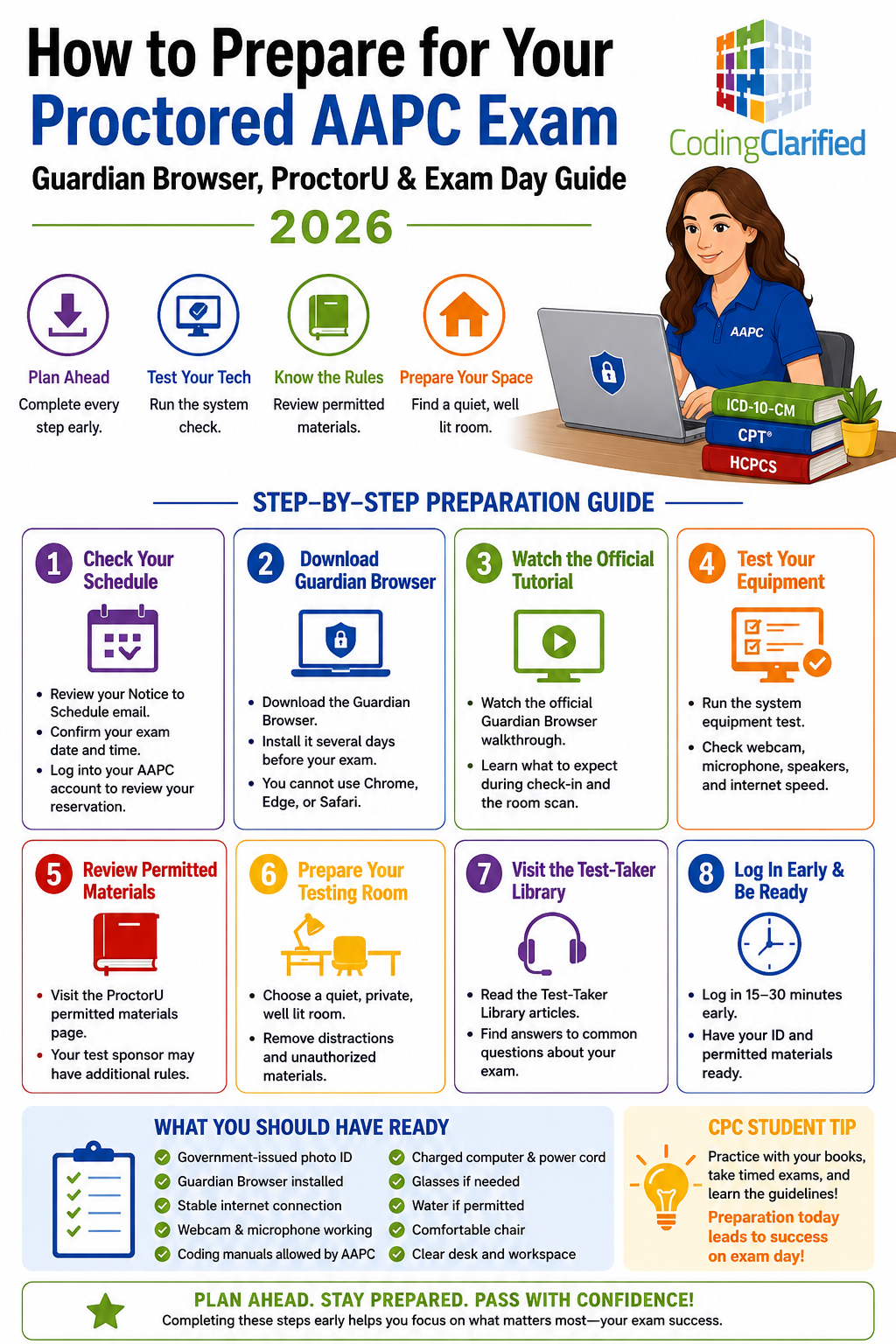
Step 1: Review Your Notice to Schedule Email
After scheduling your exam, AAPC sends a Notice to Schedule email containing important information about your testing appointment.
Use this email to:
- Confirm your exam date and time
- Review appointment details
- Access your testing account
- Verify your testing window
- Confirm your identification requirements
You can also log into your AAPC website account to review your reservation.
Step 2: Download the Guardian Browser
The Guardian Browser is the secure browser required for ProctorU remote exams.
You cannot launch your exam using a standard internet browser like Chrome, Safari, Edge, or Firefox.
Instead, you must install Guardian before exam day.
Download the Guardian Browser :
Installing it several days early gives you time to resolve any computer permissions or security settings that may interfere with installation.
Step 3: Watch the Official Guardian Browser Tutorial
Before exam day, watch the official Guardian Browser walkthrough.
The video explains:
- How the software works
- What the proctor will see
- How the room scan works
- What to expect during check-in
- Common testing questions
Watching this video helps reduce anxiety because you’ll know exactly what happens before your exam begins.
Step 4: Test Your Computer Equipment
One of the biggest mistakes students make is assuming their computer will work.
Instead, complete the official equipment test before exam day.
The system check verifies:
- Webcam
- Microphone
- Speakers
- Internet speed
- Browser compatibility
- Operating system
- Device requirements
If something fails, you’ll have time to correct the problem before your appointment.
Step 5: Review Permitted Materials
Your coding books are one of your most valuable exam tools.
However, not every item may be permitted during testing.
Review the official list before exam day so there are no surprises.
Your testing sponsor may also have additional requirements.
Always follow AAPC’s current testing policies.
Step 6: Prepare Your Testing Room
The proctor will inspect your room before your exam begins.
Choose a room that is:
- Quiet
- Private
- Well lit
- Free of interruptions
- Free of unauthorized materials
Close unnecessary programs and silence phones before connecting.
Tell family members or roommates that you cannot be interrupted.
Doing this ahead of time makes check-in much smoother.
Step 7: Visit the ProctorU Test-Taker Library
Many students have questions about:
- Identification
- Technical issues
- Breaks
- Room scans
- Internet interruptions
- Calculator use
- Whiteboards
- Security policies
The Test-Taker Library answers many of these questions.
Reading these articles before exam day can eliminate unnecessary stress.
What Happens During Check-In?
When your appointment begins, your proctor will typically:
- Verify your identity.
- Inspect your government-issued photo ID.
- Confirm your testing environment.
- Perform a room scan.
- Review your desk.
- Verify your permitted materials.
- Launch your secure exam.
The process usually takes several minutes, so plan to log in early.
What Should You Have Ready?
Before your appointment begins, gather everything you’ll need.
Checklist:
- Government-issued photo ID
- Guardian Browser installed
- Stable internet connection
- Charged computer
- Power cord connected
- Webcam
- Microphone
- Coding manuals allowed by AAPC
- Glasses if needed
- Water if permitted
- Comfortable chair
Preparing everything beforehand reduces last-minute stress.
Tips for a Smooth Remote Testing Experience
Successful students usually follow a simple routine.
They:
- Restart their computer before the exam.
- Disable unnecessary software updates.
- Close streaming services.
- Turn off notifications.
- Connect to reliable internet.
- Plug in their laptop.
- Remove clutter from their desk.
- Log in 15–30 minutes early.
Small steps like these often prevent larger technical problems.
CPC Student Tips
If you’re taking the CPC exam, preparation extends beyond your computer.
Consider these study strategies:
Practice With Your Actual Coding Books
Become comfortable locating information quickly.
Speed matters.
Use Timed Practice Exams
Simulating exam conditions helps build confidence.
Flag Difficult Questions
Don’t spend too much time on one question.
Return later if needed.
Learn Your Guidelines
Many CPC questions test guideline knowledge instead of simple code lookups.
Sleep Well the Night Before
A rested mind performs better than one that crammed all night.
Common Mistakes to Avoid
Many technical problems are completely preventable.
Avoid these common mistakes:
- Waiting until exam day to install Guardian Browser
- Forgetting to test your webcam
- Using unstable Wi-Fi
- Sitting in a noisy room
- Logging in late
- Forgetting your ID
- Leaving software updates running
- Ignoring the equipment test
- Assuming your coding books meet testing requirements without checking
Planning ahead makes exam day much easier.
What If You Experience Technical Problems?
Even well-prepared students occasionally experience technical issues.
Remain calm.
The proctor can often help troubleshoot problems.
If your issue occurs before the appointment, contact ProctorU support immediately.
If your exam becomes interrupted, follow the proctor’s instructions carefully.
Avoid closing the Guardian Browser unless instructed.
Why Early Preparation Improves Success
Preparing your technology ahead of time allows you to focus entirely on answering exam questions.
Instead of worrying about microphones, browsers, or internet connections, you’ll spend your energy demonstrating your coding knowledge.
That confidence can make a meaningful difference during a timed certification exam.
Helpful Resources
Additional CPC Exam Resources from Coding Clarified
Continue your CPC preparation with these helpful guides:
- Tabbing the CPT Manual
- Process Of Elimination
- CPT Medical Modifiers
- CPC Exam Tips
- Sequencing In Medical Coding
- Time Management For CPC Exam
Frequently Asked Questions
Do I have to download the Guardian Browser before my AAPC exam?
Yes. Remote AAPC exams delivered through Meazure Learning require the Guardian Browser. Install it several days before your appointment to avoid last-minute issues.
How early should I log in for my proctored exam?
Plan to log in at least 15–30 minutes before your scheduled appointment. This gives you enough time to complete identity verification and the room scan.
Can I use Chrome or Microsoft Edge instead of the Guardian Browser?
No. The Guardian Browser is required to launch your secure testing session.
What happens if my webcam or microphone doesn’t work?
Complete the official equipment test before exam day. If your equipment fails, replace or repair it before your appointment.
Can I take my AAPC exam in any room?
No. Choose a quiet, private, well-lit room where you won’t be interrupted. Your proctor will inspect the room before the exam begins.
What identification do I need?
Bring a valid government-issued photo ID that matches your testing registration information.
Should I test my internet connection before the exam?
Absolutely. A stable internet connection helps prevent interruptions during your exam. Running the official system check is highly recommended.
Is installing the Guardian Browser enough to prepare for my exam?
No. You should also test your equipment, review permitted materials, prepare your testing space, watch the official tutorial, and read the Test-Taker Library before exam day.
Coding Clarified Final Thoughts
Preparing for your remote AAPC certification exam involves more than studying coding concepts. Downloading the Guardian Browser, testing your equipment, reviewing the exam requirements, and organizing your testing space can help you avoid unnecessary stress on exam day.
Complete these steps several days before your appointment so you can focus on what matters most—earning your AAPC credential with confidence in 2026.
This article is part of our CPC exam prep study hub, with everything you need to prepare for and pass the CPC exam.